
Cozy Cafe Simulator 3D
Developer: Craft Game World
Release Date: Oct 27, 2025
Game Type: WEB-GL
Genre: Simulation
Platform: Web browser
Supported Languages: English, Turkish, Russian. Portuguese, Italian, Indonesian, French, Spanish, English, German
Game Mode: Single-player
Age Rating: 12+
Cozy Cafe Simulator 3D is a game where you run a little cafe, brew hot espressos, americanos, serve desserts like cupcakes, cheesecakes, ice cream, and experiment with exotic spices to create unique teas.
It's definitely a relaxing game for anyone who’s ever dreamed of owning a little café on a sunny street corner.
Every customer has their favorite flavor and spice combo, and it’s your job to serve them fast and right. You'll start by selling teas only. As you grow your business, you’ll buy new machines, unlock desserts, and decorate your café to make it the coziest place in town.
Controls
Desktop and Laptop
- WASD – Move around your café
- Left Click – Interact, serve, fill, or refill drinks and desserts
- B – Open the Store menu
- C – Open the Spices collection
- Tab – Access Settings
- F – Highlight active orders and tasks
- Q – Toggle Move Mode (to rearrange furniture or machines)
Mobile Controls
- Use the on-screen joystick on the left to move your character.
- Swipe or drag on the right side of the screen to rotate the camera.
- Tap the on-screen buttons to serve drinks, buy upgrades, and manage orders.
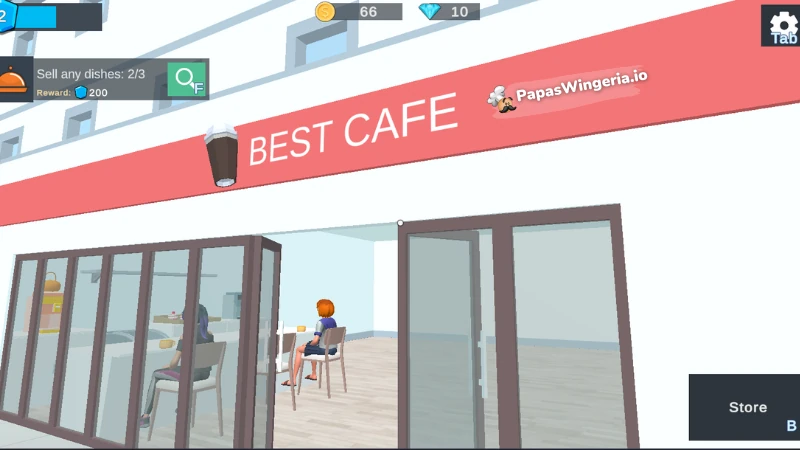
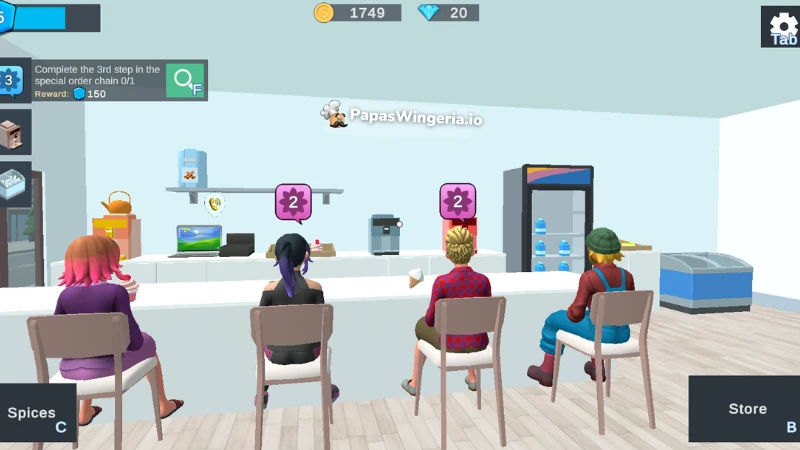
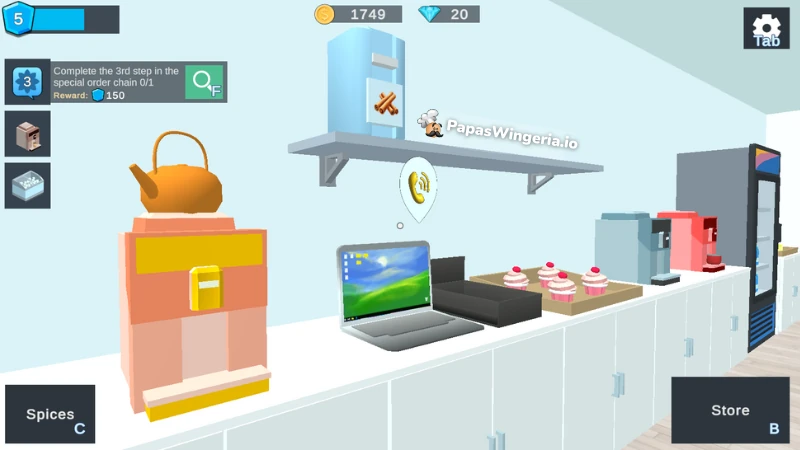
How to Play Cozy Cafe Simulator 3D
- Begin your café journey with basic drinks like tea, espresso, and vanilla ice cream. Customers will line up at your counter waiting for their favorite items.
- Click on a customer and you'll see a list of their orders. Click accept on the ones you have the ingredients and start preparing their orders.
- For tea, espresso, americano you only need to click on the correct machine and wait a few seconds while the machine brews the drink for you.
- After it's ready click on the drink and click on the correct customer to serve it. If you forget which customer ordered that drink, click on E key on your keyboard while holding the drink to see the correct customer.
- Satisfied customers will reward you with coins and experience points. You’ll need both to expand your café and unlock special recipes.
Prepare Drinks & Desserts
Use your machines to make drinks—brew tea, pull espresso shots, and freeze ice cream scoops. Tea Machine comes by default. But you'll need to buy espresso machines, cheesecake and cupcakes stands in the shop. You’ll unlock more like Latte Machines and Ice freezers and more as you level up. Each dessert display can carry four items. When you consume all the desserts on the display, click on the tray to refill the tray.
Take Online Orders
Once you grow your cafe up to 5th level, you'll beable to take online orders. Buy a laptop from the store first and place it on an empty stand. Click on the laptop to view and accept online orders. Collect the items on the order one by one and put it inside the black box to deliver them. These are timed tasks that ask for specific combinations like Tea + Espresso + Vanilla Ice Cream. Completing them gives you extra coins and rare spices.
Experiment with Spices
When you unlock special orders you'll be able to see a spice menu. Press C to open your Spices Menu. Here you can mix ingredients like Rose Petals, Nutmeg, Anise, Star Anise, and Ginseng to create premium drinks. Some drinks even use rare ingredients like Saffron, Tapioca, or Gold Flakes!
Each spice adds a special flavor and value to your drinks. Customers who ask for Special Orders will often pay very big for these exotic blends.
Complete Special Order Chains
On the left side of your screen, you’ll see challenges like “Complete the 3rd step in the special order chain.” These missions refresh every few hours and reward you with diamonds or special ingredients. For example, completing an order with Nutmeg + Rose + Cinnamon can earn you up to 520 coins in one sale!
Upgrade Your Café
Go to the Store (B) to purchase new items and equipment. Early upgrades include: additional stands, tables, and bar stools and equipments like americano machines, milk fridges, latte machines and freezers.
Level Up & Expand
The more you sell, the more experience you gain. Each new level unlocks better recipes, decorations, and ingredients for your café. You’ll soon be able to make fancy drinks like Espresso Macchiato, Milk Tea, and even signature blends.
Game Features
- 3D Café Simulation – Walk around your own cozy café in full 3D.
- Dozens of Recipes – From classic lattes to iced desserts and spiced teas.
- Spice System – Collect ingredients like Rose Petals, Star Anise, and Ginseng to craft high-value drinks.
- Special Orders – Complete spice-based drink chains for rare rewards and big bonuses.
- Real-Time Café Management – Take orders, serve customers, manage stock, and expand your store.
- Custom Equipment Upgrades – Buy new machines to unlock advanced recipes and serve more customers.
- Online Order Board – Accept digital deliveries from your in-game laptop for extra rewards.
- Level Progression – Earn XP to unlock décor, new recipes, and special machines.
More 3D Restaurant Simulator Games You’ll Love
If you enjoyed running your own coffee shop in Cozy Café Simulator 3D, you’ll also have a blast managing a burger joint in Burger Restaurant Simulator 3D. It lets you step behind the counter of a fast-food restaurant. You'll be grilling patties, frying fries, and serving hungry customers just like a real chef at a busy diner.
Or, if you prefer something a bit more chill and business-focused, try Idle Juice Tycoon. You’ll grow your own fruit empire, craft colorful drinks, and upgrade your stations to keep profits flowing while you relax. Both games are fun, casual, and fully playable online at PapasWingeria.io, the best place to enjoy free 3D restaurant simulator games anytime!
Is Cozy Café Simulator 3D free to play?
Yes! You can play it completely free online without downloading anything.
Can I play on my phone or tablet?
Absolutely! The game has smooth touch controls, perfect for mobile play.
How do I unlock more recipes?
Level up by serving customers and completing special orders. Keep an eye on the tasks, at the left side your screen that give XP bonuses. Each new level unlocks new drinks and machines.
What do spices do in the game?
Spices are collectible ingredients that boost your drink’s value and flavor rating. Some orders require specific spice mixes.
Can I decorate my café?
Yes! As you earn coins, you can buy décor and furniture to make your café more stylish.
What happens when I finish all special order chains?
They refresh automatically every few hours, so there’s always something new to serve!
🌸 Final Thoughts from The Editor
Cozy Café Simulator 3D is the kind of game you play when you just want to unwind. You’ll get lost in the rhythm of brewing tea, mixing lattes, and decorating your café. The simple 3D visuals and satisfying upgrades make it perfect for both short play sessions and long cozy afternoons.
So grab your apron, check your spice rack, and start building your dream café—one warm cup at a time. ☕💕 Play Cozy Café Simulator 3D now for free on PapasWingeria.io — the home of cozy online cooking games!




Comments